
 Facebook
 Instagram
 X (Twitter)
 TikTok
 Pinterest
 YouTube
 LinkedIn
 Threads
 Google Business Profile
 Telegram
 Discord
The Calendar
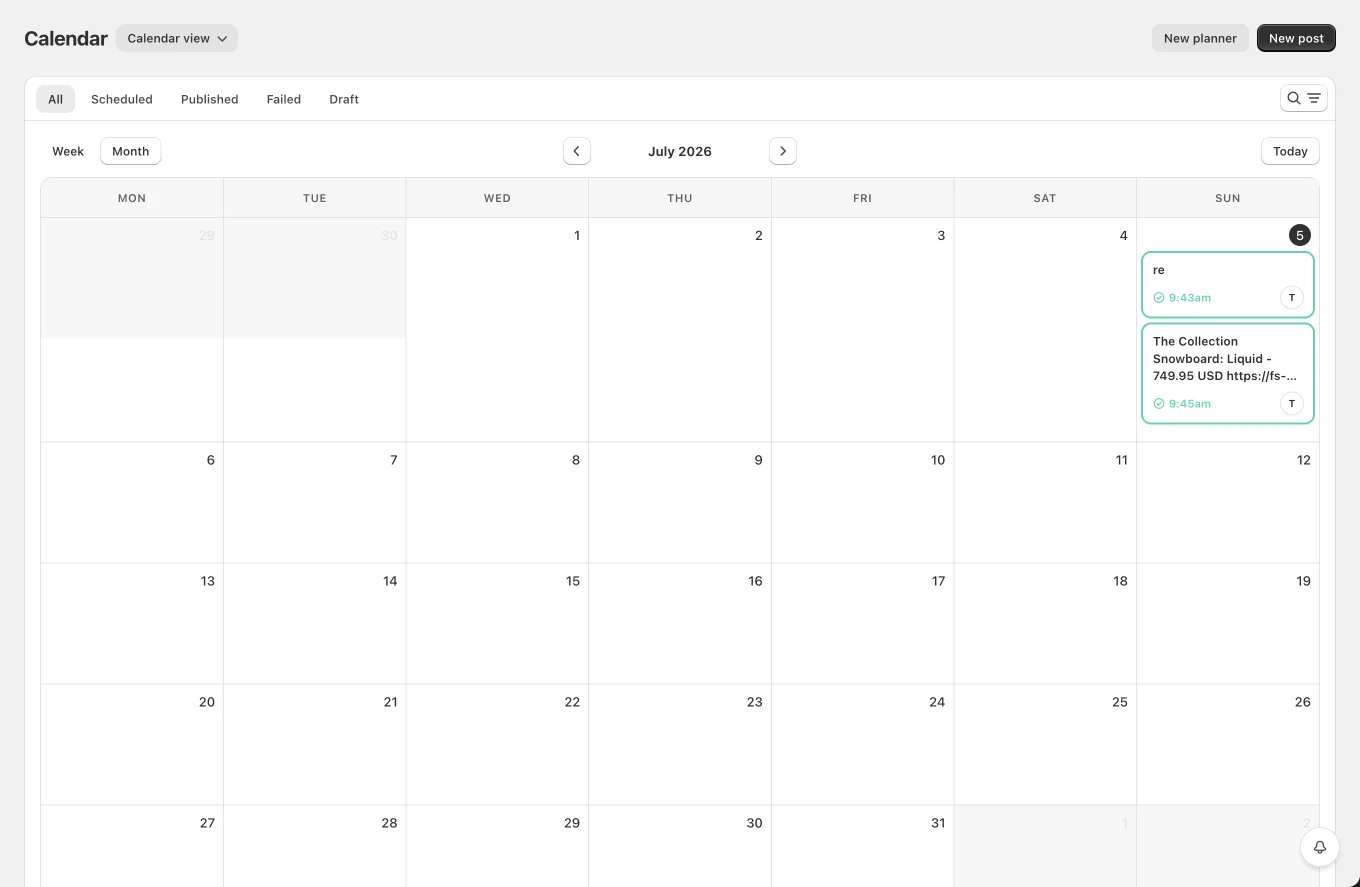
The Calendar shows every post, auto-shared, planner-created and manual, in one place. All times are shown in your store's timezone (matching the Shopify admin). Switch between Calendar view and List view with the selector next to the page title (your choice is remembered).
Filters (both views)
- Status tabs: All / Scheduled / Published / Failed / Draft
- Search across channel names and post text
- Filters: Channel, Network, Status, Product, Date range
Calendar view
- Week / Month switcher, ‹ › navigation, Today button.
- Each post group (one composer submission across channels) is a single card: post text, a status glyph with the time, and the channel avatars (first 2 + "+N").
- Status colors: yellow = scheduled, blue = publishing, green = published, red = failed, gray = draft. Multi-channel cards show the "worst" status.
- Drag & drop a scheduled card to another day to reschedule the whole group (published/failed posts can't be moved; dropping into the past reverts).
- Click a card to open the post's details.
List view
A table of posts (20 per page) with channel, message, status badge and scheduled time. Click a row to open the post's info page, Edit, Reshare, Share now and Delete all live there. Bulk delete is available via row selection.