
 Facebook
 Instagram
 X (Twitter)
 TikTok
 Pinterest
 YouTube
 LinkedIn
 Threads
 Google Business Profile
 Telegram
 Discord
Settings reference
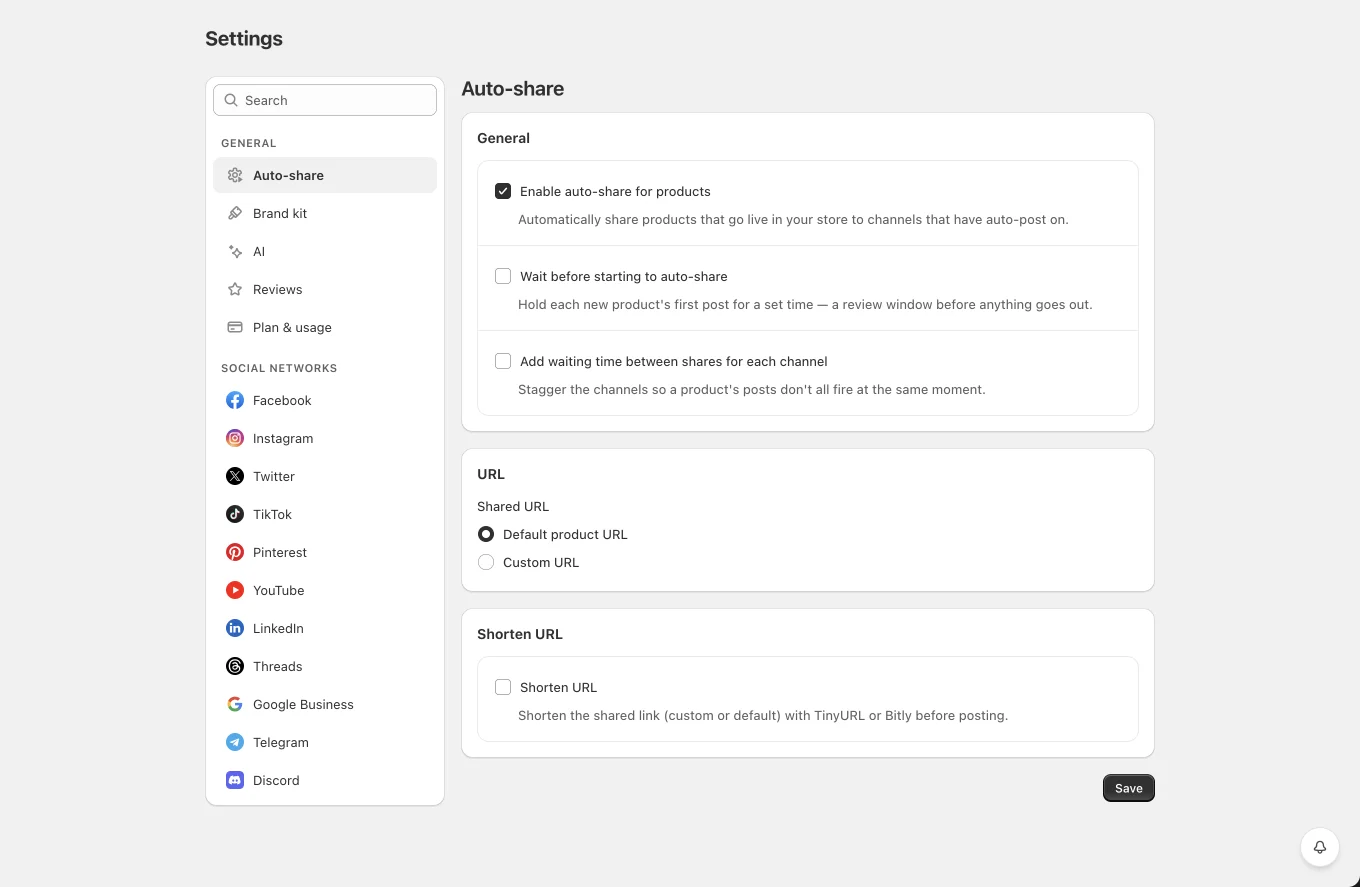
Settings has a categorized menu on the left with a search box that filters it: Sharing (Auto-share), Content (Brand kit, AI, templates and logs, see the docs), Connections (Integrations), and Social networks (one section per network). Each section saves independently, saving one never touches the others.
Plan & usage (Account)
Yoomru is sold through Shopify's own billing (Managed Pricing), the plan page is hosted by Shopify and opens via Upgrade / Change plan. Plans: Free (2 channels, 30 posts/mo, 1 planner, 5 AI/day, 3 videos/mo), Starter (5 / 150 / 3 / 20 / 15 + review cards), Growth (15 / 600 / 10 / 60 / 60), Pro (unlimited channels/posts/planners, 150 AI/day, 200 videos/mo). The section shows a progress bar per limit. Post, AI and video usage is counted when consumed and is never refunded by deleting posts or logs; channel and planner limits count what currently exists. When a quota runs out: manual scheduling explains the limit, auto-share skips with a bell notification, planners quietly resume at the start of the next month, and AI falls back to template fallback text.
Auto-share
- Enable auto-share for products, the global switch (channels also have their own toggles).
- Wait before starting to auto-share, delay before the first post of each product.
- Add waiting time between shares for each channel, stagger between channels.
- Shared URL, Default product URL or a Custom shortcode template (with the full shortcode picker); Shorten URL lives in its own card, with TinyURL/Bitly (+ tokens).
Brand kit
Used on generated template videos: Brand logo (upload, or "Use your store logo from Shopify brand settings"), Background / Text / Accent colors, Call-to-action text.
Network sections, common fields
- Post content, the shortcode template used when this network auto-shares a product.
- Upload product image(s) + Media to upload: Featured image / All product images / Generate a video (+ template picker).
- Attach product link, on networks that can carry a link.
- Post a first comment + comment template (Facebook, Instagram).
- On Facebook / LinkedIn / Threads, link and media are mutually exclusive, checking one disables the other with an explanatory tooltip.
Network-specific fields
| Network | Extra settings |
|---|---|
| Media type (always uploads); Feed image fit + background color; Story card; first comment | |
| Pin title template; Alt text (accessibility text, shortcodes allowed); Max images (1–10 → that many pins per product) | |
| Telegram | Silent notifications; Add a "Read More" button + button text |
| Google Business | Add a button + type: Book, Order, Shop, Learn more, Sign up, Watch video, Reserve, Get offer, Call |
| TikTok | Caption template; Privacy (Public / Friends / Only me, applied when your TikTok account allows it); Disable comments / Duet / Stitch |
| YouTube | Video title template; note: YouTube needs a video, pick "Generate a video" or auto-shares to it will fail |
Built-in default post content
If a network's template is left empty, Yoomru uses:
- Instagram:
{product_name} - {product_price}+ blank line +{product_hashtags} - Pinterest:
{product_description limit="400"} - Telegram, Discord, Google Business, YouTube:
{product_name} - {product_price}+{product_url}(these networks don't attach links separately) - Everything else:
{product_name} - {product_price}