
 Facebook
 Instagram
 X (Twitter)
 TikTok
 Pinterest
 YouTube
 LinkedIn
 Threads
 Google Business Profile
 Telegram
 Discord
Posting to Telegram
Yoomru posts your products to Telegram channels and groups through a bot you own, with photo albums, silent sends and an inline product button.
Connecting
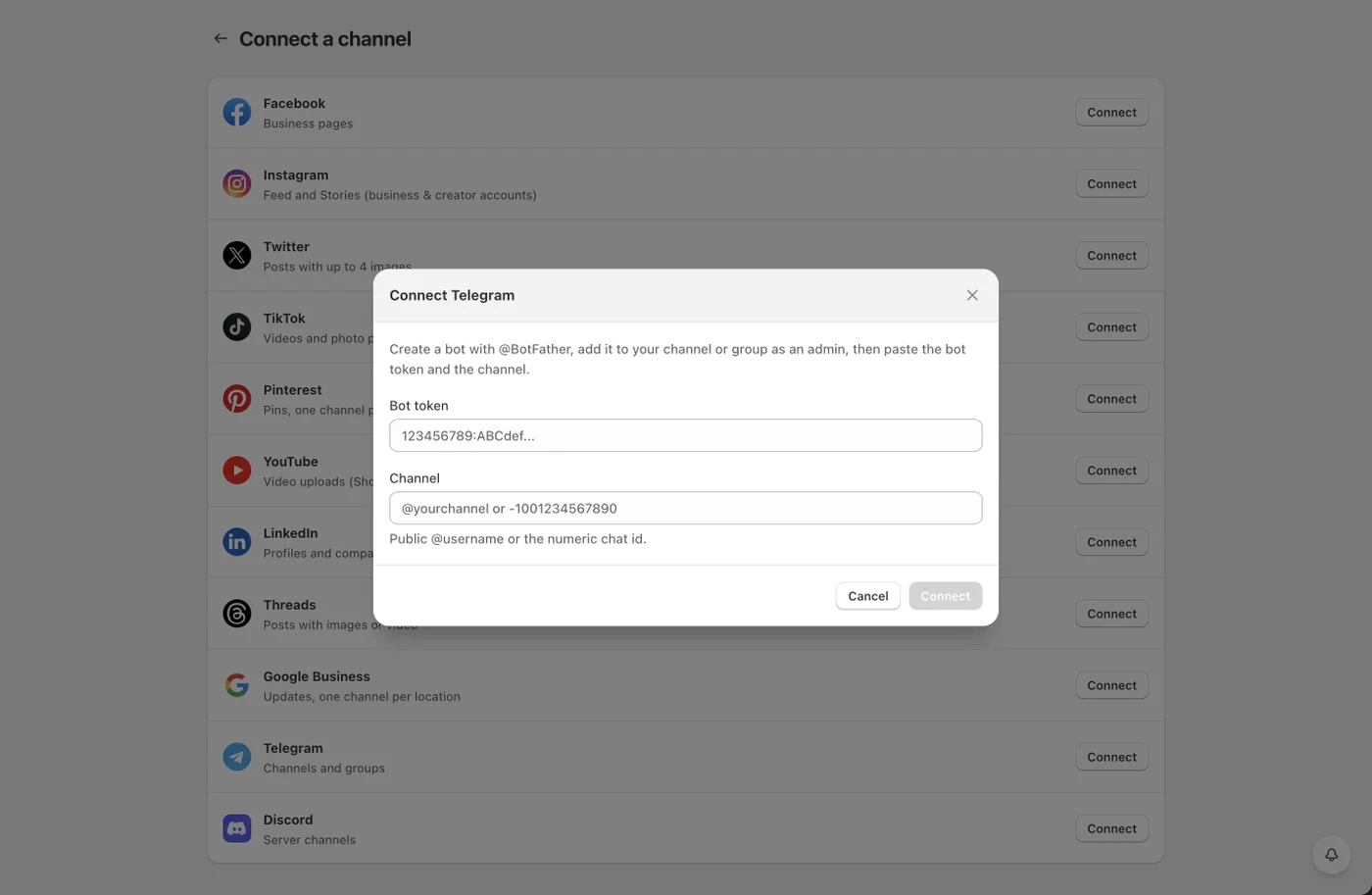
Telegram connects through a bot instead of a login:
- In Telegram, message @BotFather, send
/newbotand follow the prompts. Copy the bot token. - Add the bot to your channel or group as an administrator with permission to post.
- In Yoomru, open Channels, press Add channel, then Connect on the Telegram row.
- Paste the bot token and the channel: a public
@usernameor the numeric chat id for private channels. If the bot has seen recent activity, Yoomru suggests the chats it found.
One bot can serve many channels and groups; connect each as its own channel.
What you can post
- Text posts from your template.
- Photo albums: multiple product images are sent as one album with the caption on the first item.
- Generated product videos.
- An inline Read More button under the post that opens the product page, with your own button text.
Channel settings
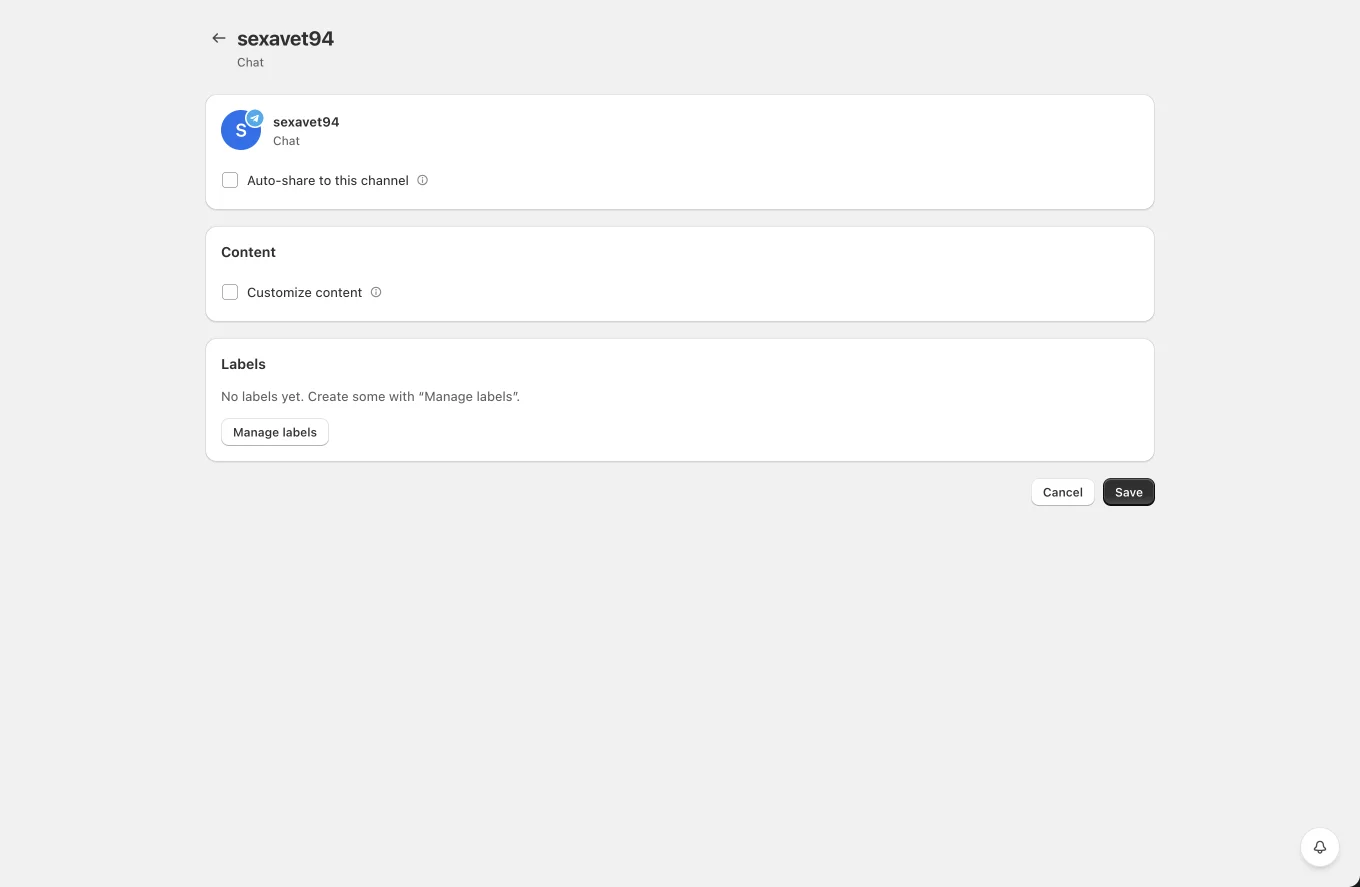
- Auto-share to this channel with product filters.
- Silent notifications: deliver posts without a notification sound for subscribers.
- Add a Read More button and its text.
- Customize content for per-channel templates.
- Labels for planner targeting.
Tips and limits
- If posting stops after an admin change, re-check that the bot is still an administrator of the channel.
- Telegram captions are limited to 1024 characters on media posts; longer text is sent as a separate message.
- Private channels use the numeric
-100...chat id; forward a message from the channel to @getidsbot if you need to find it.