
 Facebook
 Instagram
 X (Twitter)
 TikTok
 Pinterest
 YouTube
 LinkedIn
 Threads
 Google Business Profile
 Telegram
 Discord
Per-channel settings
Open any channel from the Channels list.
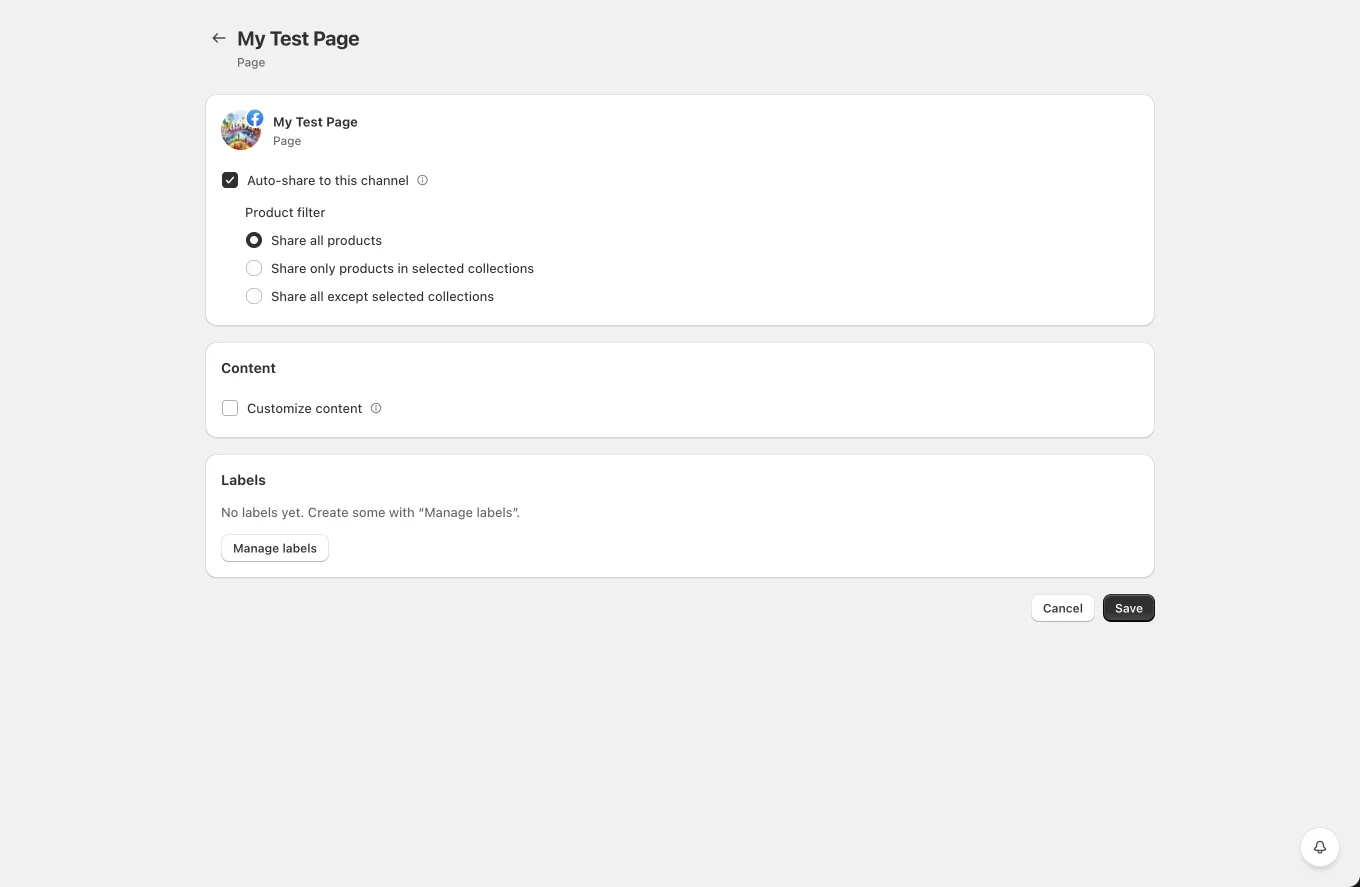
Auto-share to this channel
The master toggle for automatic posting to this channel. When enabled, a Product filter appears:
- Share all products, every product that goes live is shared here.
- Share only products in selected collections, pick one or more collections; only products in them are shared.
- Share all except selected collections, the inverse.
You must select at least one collection for the include/exclude modes (the page blocks saving otherwise).
Customize content
Override the network-wide post template for this channel only. When enabled, a rich shortcode editor appears; whatever you write here takes priority over the network's template in Settings. All shortcodes work.
TikTok channels additionally get Customize caption, a per-channel override of the TikTok caption template.
Labels
Tag channels with colored labels ("EU accounts", "Brand X"…), then filter the Channels list by label. Manage labels opens a small editor where you create, rename, recolor (8 colors) and delete labels.
Content priority: when Yoomru auto-shares a product, the text is chosen in this order: channel custom content → network settings template → built-in default. Manually composed posts always publish exactly what you wrote in the composer.