
 Facebook
 Instagram
 X (Twitter)
 TikTok
 Pinterest
 YouTube
 LinkedIn
 Threads
 Google Business Profile
 Telegram
 Discord
Post details
Click any post (calendar card or list row) to open its page (same layout as the planner info page):
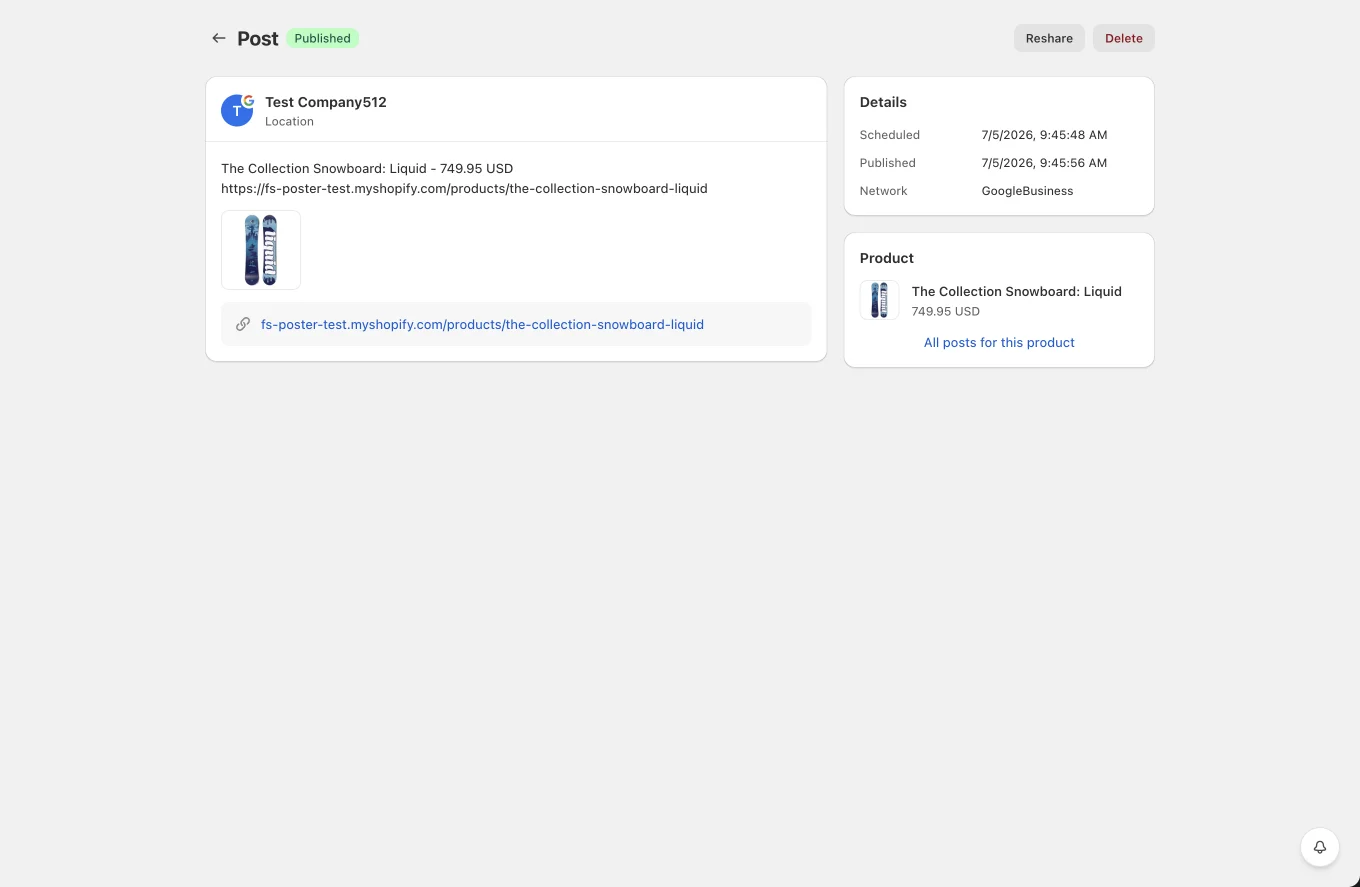
- Header: status badge next to the title, with one contextual primary action, Share now (scheduled), Retry (failed) or View post (published), plus Edit / Reshare / Delete.
- Failed posts show the exact failure message in a banner.
- Main card: the channel (avatar, name, type), the full text, media (image thumbnails, playable videos), the link, and the first comment when one is set.
- Details sidebar: scheduled/published timestamps, network, and the planner that created the post (links to its info page). A Product card shows the shared product with a shortcut to all of its posts.
- Actions depending on status: View post (opens the live post on the network when a URL is available), Reshare, Share now, Edit, Retry (for failed), Delete.