
 Facebook
 Instagram
 X (Twitter)
 TikTok
 Pinterest
 YouTube
 LinkedIn
 Threads
 Google Business Profile
 Telegram
 Discord
How to Promote Shopify Products on TikTok: A Simple Workflow

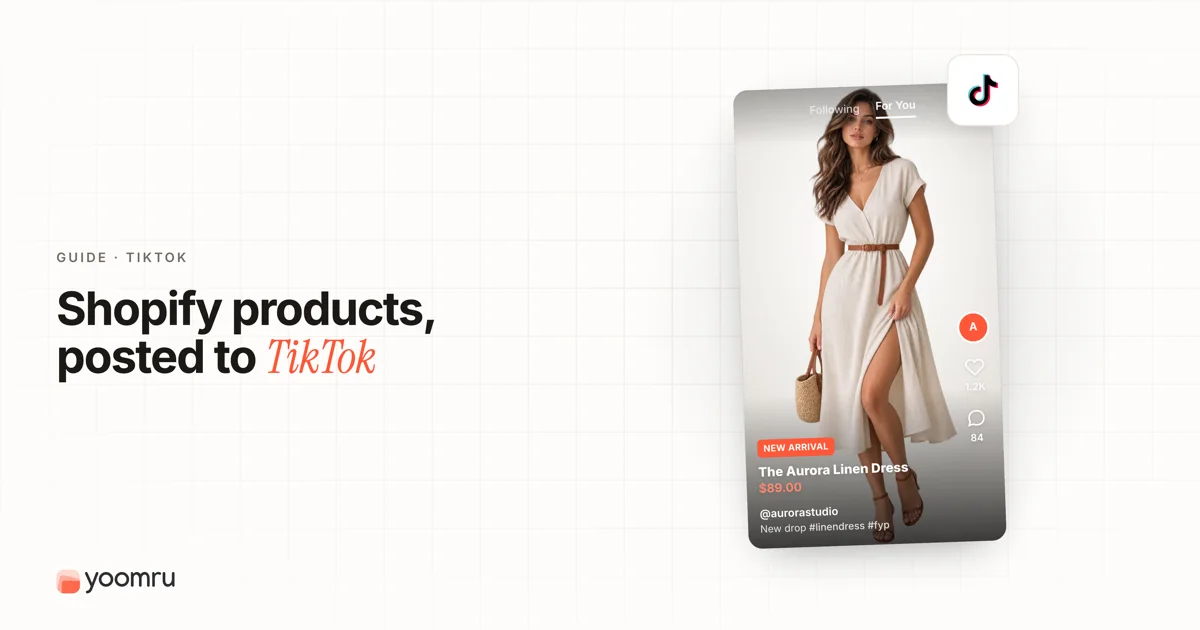
TikTok can help Shopify stores get products in front of people who are already watching short videos for ideas, reviews, routines, and recommendations.
But TikTok does not work well when every post is just a product photo with a hard sales caption. Store owners need simple product videos, clear hooks, honest demos, and a repeatable posting plan.
This guide explains how to promote Shopify products on TikTok in a practical way, especially if you are a small store owner and do not have a full creative team.
Quick answer
To promote Shopify products on TikTok, start with a ready product page, choose one product angle, make short vertical videos, and send viewers to the exact product or collection page when the next step is clear.
If your store is eligible and TikTok is available in your market, you can also connect Shopify to TikTok through the official TikTok app. That can help with catalog syncing, TikTok Ads setup, product status checks, and TikTok Shop workflows where supported.
A simple weekly TikTok workflow can include:
- one product demo video
- one problem and solution video
- one customer question or objection video
- one behind-the-scenes or packing video
- one trend-inspired video that still fits your product
You do not need every video to be perfect. You need a steady system that shows the product clearly and helps shoppers understand why it matters.
What changes on TikTok compared with other platforms
TikTok is different from Facebook, Instagram, and Pinterest because discovery often starts with the video itself. A person may not know your store, your product name, or your category before they see the post.
That means your TikTok content should answer fast:
- What is this product?
- Who is it for?
- What problem does it solve?
- What does it look like in real use?
- Why should someone keep watching?
For Shopify stores, TikTok is often useful for product demos, new arrivals, routines, before-and-after examples, packing videos, creator-style reviews, and quick answers to customer objections.
The main mistake is treating TikTok like a product catalog. The product should be easy to see, but the video still needs a reason to watch.
Step-by-step workflow for TikTok product promotion
1. Prepare the Shopify product page before posting
Before you publish TikTok videos, check the product page that people will land on. A good TikTok video can create interest, but a confusing product page can waste that interest.
Check that the product page has:
- a clear product title
- strong images from more than one angle
- a short description that explains the main benefit
- price, variants, and stock status
- shipping, delivery, and return details
- reviews, FAQs, or trust signals when available
- a clear add-to-cart path on mobile
If the TikTok video shows a specific color, bundle, discount, or use case, the landing page should match it. Do not make people search for the product they just saw.
2. Decide whether you need TikTok Shop, traffic to Shopify, or both
Some stores use TikTok mainly to send people back to their Shopify product pages. Others use TikTok Shop where it is available and appropriate. Some use both.
Think about your current goal:
| Goal | Useful setup | Best for |
|---|---|---|
| Send viewers to your Shopify store | TikTok profile link, product links where available, TikTok Ads, synced catalog | Stores that want checkout, branding, bundles, and email capture on Shopify |
| Sell inside TikTok | TikTok Shop setup if eligible | Products that fit in-app discovery and fast purchase decisions |
| Test content first | Organic videos and simple links | New stores that are still learning which hooks work |
| Scale proven videos | Spark Ads, Catalog Ads, or other TikTok ad formats | Stores with tested product pages, margin, and tracking |
Use official setup paths when connecting Shopify and TikTok. Keep your business account, catalog, ad account, and pixel access under your business control.
3. Connect Shopify to TikTok if it fits your store
If you plan to use TikTok Ads, catalog-based promotion, or TikTok Shop features, the official TikTok app for Shopify is usually the safest starting point.
The setup can include connecting or creating a TikTok for Business account, Business Center account, and TikTok Ads Manager account. It can also include data sharing, pixel setup, catalog creation, and product status review.
After setup, check product status. Products may be approved, pending, or disapproved. Fix product data issues before you depend on those products in ads or shopping features.
4. Choose one product angle for each video
A single TikTok video should not try to explain everything. Pick one angle and make the video easy to understand.
Useful product angles include:
- one problem the product solves
- one use case
- one surprising feature
- one comparison with a common alternative
- one customer question
- one review or proof point
- one routine that includes the product
- one seasonal reason to buy
For example, a kitchen store should not make one video about every feature of a storage container set. One video can show the messy drawer before and after. Another can show the size options. Another can answer whether the containers fit a small fridge.
5. Use a simple video structure
You do not need a studio to make useful TikTok product videos. You need a clear structure.
Use this basic format:
- Hook: Start with the problem, result, or question.
- Show: Put the product in use quickly.
- Explain: Add one clear benefit or detail.
- Proof: Use a review, demo, comparison, or close-up.
- Next step: Tell people where to learn more or shop.
Example for a skincare product:
Hook: "If your travel bag leaks, check this." Show the product in a toiletry bag. Explain the cap or seal. Add a close-up. End with: "See the full size options in our store."
This is more useful than a video that only shows the bottle with music and no context.
6. Make the video feel native to TikTok
TikTok recommends vertical videos, clear visuals, sound or music, and content that feels made for TikTok. A simple phone-shot video can work better than a polished ad if it feels useful and natural.
For product promotion, keep these basics in mind:
- film vertically
- show the product early
- keep the product visible and not hidden by text
- use captions or text overlays for silent viewers
- avoid tiny text that is hard to read on mobile
- show a person, hand, customer, or real use case when possible
- make the first few seconds clear
Trends can help, but only use trends that fit your product and brand. Do not force a meme if it makes the product unclear.
7. Turn one product into several TikTok videos
Many Shopify stores stop after one launch video. That is not enough. One product can support several simple videos without becoming repetitive.
| Video type | Example hook | Best product fit |
|---|---|---|
| Problem and solution | "This fixes the most annoying part of..." | Practical tools, accessories, home goods |
| Demo | "Watch how this works in 10 seconds." | Products with visible action |
| Size or fit guide | "Which size should you choose?" | Clothing, bags, storage, decor |
| Review reaction | "A customer asked if this works for..." | Products with reviews or FAQs |
| Behind the scenes | "Packing today's orders for..." | Handmade, boutique, lifestyle products |
| Comparison | "Before you buy the cheaper version, check this." | Products with clear quality differences |
This approach helps you test different hooks without changing the product every day.
8. Add product links only when the next step is clear
Some TikTok posts are meant for awareness. Others should send people to the product page. Know the goal before you post.
Use a product link when the video clearly shows:
- one product
- one collection
- one bundle
- one limited offer
- one answer that needs the product page for details
Link to the exact product or collection. Do not send viewers to the homepage if the video is about one item.
9. Test organic videos before spending heavily on ads
Paid promotion can help once you know which product, hook, and landing page are working. But many small stores should test organic videos first.
Organic videos can help you learn:
- which product gets comments
- which hook makes people watch longer
- which objection keeps appearing
- which product page needs more detail
- which videos might be worth boosting later
If you use TikTok ads, start with a clear objective, a small product set, accurate tracking, and enough margin to handle testing. Avoid boosting every video just because it received a few likes.
TikTok product post examples for Shopify stores
New product launch
Post idea: Show the product in use during the first few seconds.
Caption structure: "New in the shop: [product]. Made for [use case]. Available now in [variant]."
Restock video
Post idea: Show packing, shelves, or the returned product.
Caption structure: "Back in stock after customer requests. Here is what makes [product] useful for [situation]."
Problem and solution
Post idea: Start with the common problem, then show the product solving it.
Caption structure: "If [problem] keeps happening, try this setup."
Customer question
Post idea: Turn one support or comment question into a short answer.
Caption structure: "Question we get often: [question]. Short answer: [answer]."
Behind the scenes
Post idea: Show how the product is made, packed, selected, or checked before shipping.
Caption structure: "A quick look at how we prepare [product] before it ships."
Mistakes to avoid
Copying trends without a product reason
A trend can bring attention, but it should still make the product easier to understand. If the trend hides the product, skip it.
Posting only polished ads
TikTok often rewards content that feels native and useful. Mix polished videos with simple demos, founder clips, customer questions, and real product use.
Starting with too many products
Do not try to promote your whole catalog at once. Choose a small group of products and learn which angles work.
Ignoring product status and account setup
If you use TikTok Shop, catalogs, or ads, check product approvals, account permissions, and tracking before launch. Broken setup can create avoidable delays.
Making claims the product page cannot support
Do not promise results that the product page does not explain. Keep TikTok hooks honest and match the landing page.
Simple weekly checklist
Use this checklist before planning TikTok posts for the week:
- Choose three to five products, collections, or offers.
- Pick one TikTok angle for each video.
- Write the hook before filming.
- Film vertically and show the product early.
- Add captions or text overlays where they help.
- Link to the exact product or collection when needed.
- Check product status if you use TikTok Shop or catalog features.
- Review comments, watch time, clicks, and sales signals after posting.
- Turn repeated questions into new videos.
Where Yoomru fits
Yoomru is being prepared as a Shopify social media automation app and is currently under Shopify review. For TikTok workflows, it is built to help merchants turn Shopify product data into social posts, create product videos, and plan repeatable product promotion across multiple networks.
Automation works best when the content idea is clear. Choose the product angle first. Then use tools to save time on planning, captions, videos, and recurring product promotion.
FAQ
Can I promote Shopify products on TikTok without TikTok Shop?
Yes. You can use TikTok to build awareness and send people to your Shopify store through profile links, product links where available, organic videos, creator content, and ads. TikTok Shop is useful for some stores, but it is not the only way to use TikTok.
Should I post organic TikTok videos or run ads first?
Many small stores should test organic videos first. This helps you learn which products, hooks, and objections matter before spending money. Use ads when your product page, tracking, margin, and creative are ready.
What kind of TikTok videos work for Shopify products?
Useful formats include demos, problem and solution videos, before-and-after examples, customer questions, packing videos, review reactions, size guides, and routine videos.
How often should a Shopify store post on TikTok?
Start with a schedule you can maintain. For many small stores, three to five useful videos per week is more realistic than posting daily with weak ideas. Increase frequency when you have enough good product angles.
Do I need expensive video equipment?
No. A phone, clear lighting, a stable shot, and a real product demo are enough to start. Focus on clarity, product visibility, and a strong first few seconds.
Should every TikTok video include a product link?
No. Some videos should educate, answer a question, or build trust. Add a product link when the video makes the next step clear and the linked page matches the product shown.