
 Facebook
 Instagram
 X (Twitter)
 TikTok
 Pinterest
 YouTube
 LinkedIn
 Threads
 Google Business Profile
 Telegram
 Discord
How to Promote Shopify Products on Pinterest: A Simple Workflow

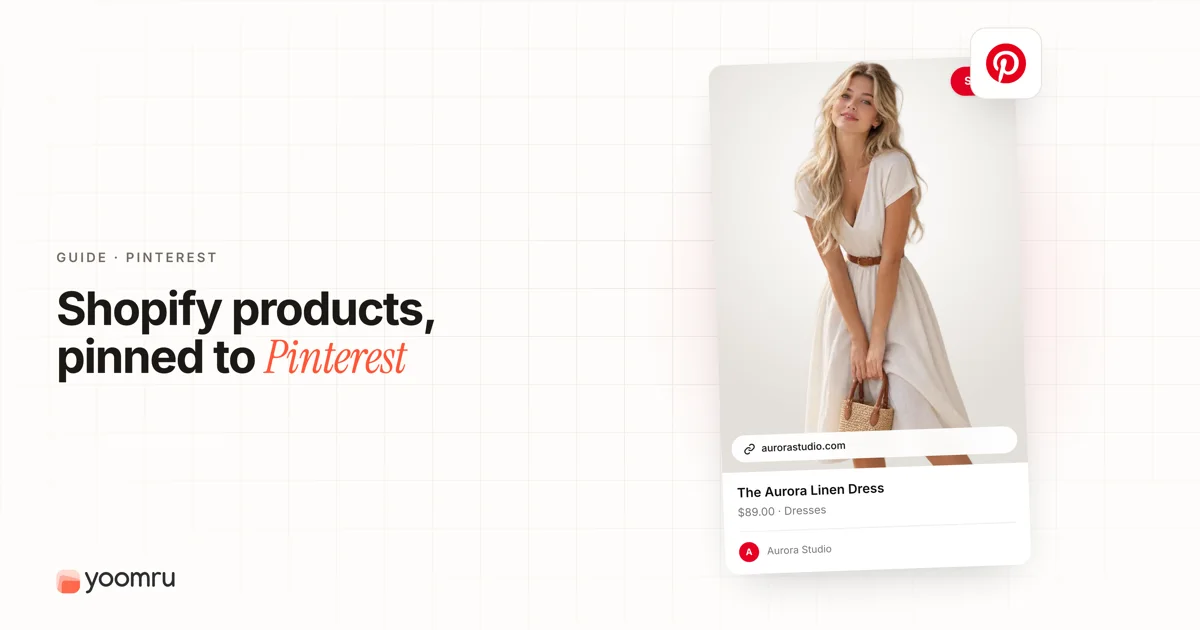
Pinterest can be useful for Shopify stores because people often use it to plan what to buy, save ideas, and compare products before they are ready to order.
But Pinterest is not the same as Instagram, TikTok, or Facebook. A product post that works in a fast social feed may feel too plain on Pinterest. A good Pin needs a clear visual, a searchable title, a helpful description, and a link that matches the shopper's intent.
This guide explains how to promote Shopify products on Pinterest without turning your account into a wall of repetitive product listings.
Quick answer
To promote Shopify products on Pinterest, start with a Pinterest business account, connect your Shopify product feed if available in your region, then create helpful Pins around products, use keyword-rich titles, organize boards by buyer intent, and post consistently.
A simple setup looks like this:
- Connect Shopify to Pinterest if the official channel is available for your store.
- Make sure product titles, descriptions, prices, images, and availability are clean in Shopify.
- Create vertical Pins that show the product clearly.
- Use boards based on use case, room, style, season, gift type, or problem.
- Link each Pin to the most relevant product, collection, or guide page.
- Review analytics every month and improve the Pins that get saves or outbound clicks.
What changes on Pinterest compared with other platforms
Pinterest works more like a visual search and planning platform than a real-time social feed. That changes how Shopify stores should post.
| Platform habit | What it means for Shopify products |
|---|---|
| People search by ideas and problems | Use searchable phrases, not only brand slogans. |
| Pins can stay useful for longer | Create evergreen product content, not only daily updates. |
| Visual context matters | Show how the product fits a room, outfit, routine, gift, or project. |
| Boards help organize discovery | Create boards around buyer intent, not random product categories only. |
| Catalog data matters for shopping | Keep Shopify product data accurate before syncing products. |
This is why Pinterest can be a good fit for visual categories such as home decor, fashion, beauty, crafts, wedding products, gifts, food, fitness, baby products, and lifestyle accessories. It can still work for other products, but the content angle needs to be clear.
Step 1: Set up the right Pinterest account
Use a Pinterest business account for a Shopify store. A business account gives you access to merchant tools, analytics, ads features, and catalog options where they are available.
Pinterest's help center says Shopify merchants can use the Pinterest for Shopify app to connect a store to a Pinterest business account. The connection can claim the website, install tracking tools, connect the product feed, and generate Product Pins from the Shopify product feed.
Before you connect, check these basics:
- Your Pinterest profile name matches your store or brand.
- Your bio explains what you sell in plain language.
- Your website URL is correct.
- Your Shopify product pages are live and not password protected.
- Your store policies, shipping details, and contact details are clear.
If the Pinterest channel is not available in your region or setup, you can still create organic Pins manually. Just keep the links and product information accurate.
Step 2: Clean up your Shopify product data
Pinterest Product Pins depend on product information. Weak product data can make your Pins less useful, even if the visual looks good.
Review these Shopify fields before you publish or sync products:
- Product title: Make it clear and specific. Avoid titles that only make sense inside your store.
- Description: Explain the product, use case, material, size, care notes, and buyer fit.
- Images: Use clean product photos and lifestyle photos when possible.
- Price: Keep sale prices and variants accurate.
- Availability: Do not promote out-of-stock products as if they are ready to buy.
- Product type and category: Use useful classification so product feeds are easier to understand.
Pinterest's catalog guidance explains that Product Pins include details such as title, description, pricing, and availability. Treat those fields as part of your Pinterest marketing, not just backend admin work.
Step 3: Build boards around buyer intent
Many Shopify stores create boards that mirror their store menu. That can work, but it is often too narrow.
Create boards that match how shoppers search and plan. For example:
- A home decor store can use boards like "Small Apartment Living Room Ideas" or "Neutral Bedroom Decor".
- A skincare store can use boards like "Simple Night Routine" or "Travel Skincare Essentials".
- A pet store can use boards like "Dog Walking Essentials" or "New Puppy Checklist".
- A gift store can use boards like "Gifts for New Homeowners" or "Personalized Birthday Gifts".
- A fashion store can use boards like "Summer Linen Outfits" or "Work From Home Style".
Boards should give your products context. A shopper may not search for your product name yet, but they may search for a problem, season, style, room, or occasion.
Step 4: Create Pinterest-friendly product Pins
A Pinterest product Pin should help the shopper understand the product fast.
Use this simple format:
- One clear product focus: Do not crowd the image with too many items.
- Vertical layout: Pinterest commonly recommends vertical creative for feed visibility. A 2:3 format is a safe starting point for standard images.
- Readable text overlay: Use a short benefit or use case, not a paragraph.
- Real context: Show the product being worn, used, styled, organized, packed, or gifted.
- Clean brand signal: Add a small logo or brand mark when it fits, but do not let it overpower the product.
- Matching destination: Link to the exact product page when the Pin is product-specific.
Pinterest's creative guidance focuses on making the product the star and showing it in realistic settings. That is especially important for Shopify stores, because many buyers need to see how the product fits into real life before they click.
Step 5: Write searchable Pin titles and descriptions
Pinterest users search with practical phrases. Your Pin title should match the way a shopper thinks.
Instead of writing:
- "New arrival from our summer drop"
- "You will love this"
- "Our favorite pick today"
Try:
- "Linen Beach Dress for Summer Vacation"
- "Minimal Desk Organizer for Small Workspaces"
- "Personalized Gift Box for New Homeowners"
For the description, add a short, helpful sentence. Mention who it is for, what problem it solves, or where it fits.
A compact desk organizer for small workspaces, dorm rooms, and home offices. Use it to keep cables, pens, sticky notes, and daily tools in one place.
Avoid stuffing the same keyword again and again. Clear wording is better than awkward repetition.
Step 6: Mix product Pins with helpful idea Pins
If every Pin is only "buy this product," the account can feel flat. Mix direct product Pins with helpful content that shows the product in context.
Try this content mix:
- Direct product Pins: One product, one clear use case, one product page link.
- Collection Pins: A group of products around a season, room, outfit, or gift theme.
- How-to Pins: A short process that uses the product.
- Checklist Pins: A simple list, such as travel essentials or nursery setup items.
- Before and after Pins: Show the difference the product helps create.
- Comparison Pins: Help shoppers choose between sizes, colors, bundles, or product types.
This approach gives you more content angles without inventing new products every week.
Step 7: Use a simple weekly workflow
You do not need a complicated Pinterest plan at the start. Use a repeatable workflow you can keep up with.
Monday: choose products
Pick three to five products or one collection. Choose products that are in stock, visually clear, and relevant to the current season or buyer need.
Tuesday: create Pin angles
Write three angles for each product:
- Problem angle: what pain point does it solve?
- Style or use angle: where does it fit?
- Gift or seasonal angle: when would someone buy it?
Wednesday: prepare visuals
Create vertical images using product photos, lifestyle photos, or simple text overlays. Keep the product visible and the text easy to read on mobile.
Thursday: write titles and descriptions
Use natural search phrases. Include product type, use case, audience, style, or season when relevant.
Friday: publish and schedule
Publish Pins to the most relevant boards. If you use scheduling, spread posts out instead of publishing everything at once.
Monthly: review results
Check which Pins get saves, clicks, and product interest. Use that data to create more of what works.
Product Pin examples for Shopify stores
Here are practical examples you can adapt.
| Store type | Pin idea | Destination |
|---|---|---|
| Home decor | "Small Entryway Storage Ideas" with a wall hook product | Product page or entryway collection |
| Beauty | "Travel Makeup Bag Essentials" with a cosmetic organizer | Product page |
| Pet supplies | "New Puppy Walk Checklist" with leash, pouch, and water bottle | Collection page |
| Jewelry | "Minimal Gold Necklace for Everyday Outfits" | Product page |
| Kitchen | "Pantry Labels for a Cleaner Kitchen" | Product page or bundle page |
Notice that each idea is about a buyer situation, not just the product name.
Mistakes to avoid
- Using only square Instagram graphics: They may not use Pinterest's feed space well.
- Linking every Pin to the homepage: Send shoppers to the most relevant page.
- Writing vague titles: "Cute product" is weaker than a clear phrase with product type and use case.
- Ignoring product availability: Remove or update Pins for products that are no longer sold.
- Posting the same creative repeatedly: Change the image, title, angle, board, or destination.
- Expecting instant results: Pinterest often needs consistent publishing, testing, and patience.
- Skipping mobile readability: Small text is hard to read in the feed.
Simple checklist
Use this before publishing a Shopify product Pin:
- Is the product in stock?
- Does the image show the product clearly?
- Is the Pin vertical and easy to read on mobile?
- Does the title include the product type or use case?
- Does the description help the shopper understand the product?
- Does the link go to the right product, collection, or guide?
- Is the board relevant to the buyer's intent?
- Have you created more than one angle for important products?
Where Yoomru fits
Yoomru is being prepared as a Shopify social media automation app and is currently under Shopify review. For Pinterest and other social channels, the goal is not to spam the same product link. A tool like Yoomru can help Shopify merchants plan product posts, captions, recurring planners, and visual workflows so product promotion stays consistent.
FAQ
Is Pinterest good for Shopify products?
Pinterest can be good for Shopify products that are visual, searchable, and easy to place in a lifestyle or planning context. It is especially useful for categories such as home decor, fashion, beauty, crafts, gifts, food, and lifestyle products. Results still depend on product fit, content quality, and consistency.
Do I need the Pinterest Shopify app?
You do not always need it to create organic Pins, but the official Pinterest for Shopify app can help connect your store, product feed, Product Pins, and tracking tools where available. Check eligibility and setup requirements before relying on it.
Should I link Pinterest Pins to product pages or collection pages?
Use the page that matches the Pin. A Pin about one product should usually link to that product page. A gift guide, checklist, outfit, room setup, or product group can link to a collection or guide page.
How often should a Shopify store post on Pinterest?
Start with a pace you can sustain, such as a few fresh Pins per week. Focus on quality, clear visuals, useful titles, and relevant boards. Increase volume only when you can keep the content varied and accurate.
Can I reuse Instagram content on Pinterest?
Yes, but adapt it first. Pinterest often needs a stronger search title, vertical design, clearer product context, and a destination link that matches the idea. Do not copy the same caption without checking whether it makes sense for Pinterest search.