
 Facebook
 Instagram
 X (Twitter)
 TikTok
 Pinterest
 YouTube
 LinkedIn
 Threads
 Google Business Profile
 Telegram
 Discord
How to Promote Shopify Products on Instagram: A Simple Workflow for Store Owners


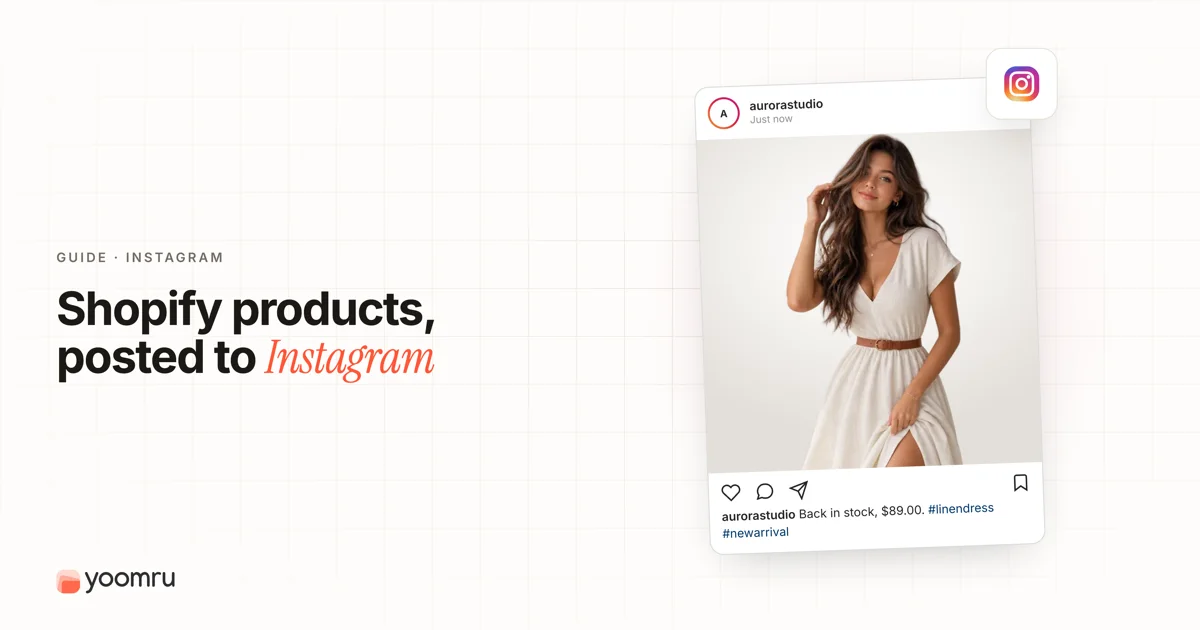
Instagram can be useful for Shopify product promotion, but it gets messy fast when every post becomes a plain product photo with the same caption.
Store owners need a simple system. You need posts that show the product, explain why it matters, answer buyer doubts, and send interested shoppers to the right product page. You also need a workflow you can repeat without spending your whole day inside Instagram.
Quick answer
To promote Shopify products on Instagram, start with a clear product goal, prepare your product page, connect Instagram Shopping if your store is eligible, create a mix of Reels, feed posts, Stories, and customer proof, then track what brings profile visits, product taps, website clicks, and sales.
A good weekly setup for a small Shopify store can look like this:
- 1 product education post
- 1 Reel showing the product in use
- 1 Story sequence with a question, product benefit, and link
- 1 customer proof or review post
- 1 soft offer, restock, bundle, or new arrival post
You do not need to post every product every day. You need a repeatable plan that makes your products easier to understand and easier to buy.
What changes when you promote Shopify products on Instagram?
Instagram is not the same as your Shopify product page. Your product page can list every detail, option, policy, and image. Instagram needs a shorter story.
Most people are not opening Instagram to read a full product description. They are scrolling, comparing, saving ideas, watching quick videos, and deciding whether your brand feels worth a closer look.
That changes how you promote products:
- The first image or video matters most. It should show the product clearly or show the outcome it helps create.
- The caption should add context. Do not only repeat the product name. Explain use cases, fit, ingredients, materials, care tips, or buying advice.
- The link path must be simple. Use product tags, profile links, Story links, or clear instructions so shoppers do not have to search your store manually.
- Trust content matters. Reviews, UGC, behind-the-scenes clips, shipping notes, size guidance, and return information can reduce hesitation.
- Consistency beats random bursts. A small weekly rhythm is easier to sustain than posting heavily for three days and disappearing for two weeks.
Step 1: Prepare the Shopify product page before posting
Do not drive Instagram traffic to a weak product page. Before you promote a product, check the page that shoppers will land on.
Review these basics:
- Product title is clear and not stuffed with keywords.
- Main image shows the product without confusion.
- Price, compare-at price, variants, and stock status are accurate.
- Description explains who the product is for and why it is useful.
- Size, material, ingredients, compatibility, or care details are easy to find.
- Shipping, returns, and delivery expectations are clear.
- Reviews or customer photos are shown when you have them.
If your Instagram post promises a bundle, discount, or color option, make sure the Shopify product page matches that promise. A mismatch creates friction and can make shoppers leave.
Step 2: Use Instagram Shopping when your store is eligible
If your Shopify store is eligible for Instagram Shopping, product tags can make product discovery easier. Shopify explains that Instagram Shopping lets customers view products from an Instagram profile and tap tagged products in posts and Stories to continue toward purchase on your online store.
Shopify also notes that products need to be available in your Meta catalog and in your Shopify online store before they can be tagged in Instagram posts or Stories.
That means product tags are not only an Instagram task. They depend on clean Shopify product data, catalog setup, and eligibility.
Use product tags when they help the post. Good places include:
- A feed photo showing one featured product
- A carousel with several products from one collection
- A Story image for a restock or limited-time offer
- A lifestyle image where the product is visible and easy to identify
Do not tag too many products just because the option exists. If a shopper cannot tell which tag belongs to which item, the post feels cluttered.
Step 3: Build your Instagram post around one buying question
Many product posts fail because they only say, “Here is our product.” A better post answers one buyer question.
Examples:
- Will this fit my space?
- How do I use it?
- What makes it different from the cheaper option?
- Is it good for beginners?
- What size should I choose?
- Can I give it as a gift?
- What does it look like in real life?
Choose one question per post. Then build the creative around that question.
For example, if you sell skincare, a post can explain when to use a serum in a routine. If you sell home decor, a Reel can show the item in a small apartment. If you sell apparel, a carousel can compare fit across sizes.
This makes the post more useful and less pushy.
Step 4: Use a simple content mix
A Shopify product can appear many times on Instagram without looking repetitive. The key is to change the angle.
Here is a simple mix:
| Content type | Best use | Example |
|---|---|---|
| Product spotlight | Introduce a new or important product | Show the product, main benefit, price range, and product tag |
| How-to post | Explain usage | “3 ways to style this tote for work” |
| Reel | Show motion, transformation, or context | Unboxing, before and after, setup, try-on, demo |
| Story sequence | Quick updates and direct traffic | Poll, product benefit, customer question, link |
| Customer proof | Build trust | Review screenshot, customer photo with permission, result story |
| Collection post | Promote a group of products | “Gifts under $50” or “Best sellers this month” |
This mix keeps the feed from becoming a catalog dump. It also gives you more ways to reuse the same product information.
Step 5: Write captions that help shoppers decide
A caption does not need to be long. It needs to do a job.
Use this simple caption structure:
- Hook: Start with the product problem or use case.
- Context: Explain one benefit, detail, or scenario.
- Proof: Add a review note, material detail, comparison, or practical reason to trust it.
- Action: Tell the reader what to do next.
Example caption:
Need a gift that does not feel last minute? This ceramic mug set comes boxed, works for coffee or tea lovers, and ships from our store this week. Tap the product tag to see colors and delivery options.
That caption is simple, but it answers why someone might care now.
Step 6: Turn one Shopify product into five Instagram posts
You do not need five new ideas from scratch. Start with one Shopify product and create five angles.
Example product: a travel jewelry organizer.
- Feed post: Clear product photo with product tag and key benefit.
- Reel: Pack jewelry before a weekend trip.
- Carousel: Show compartments, size, colors, and what fits inside.
- Story: Poll: “Do your necklaces tangle when you travel?” Then show the product link.
- Customer proof: Review card or UGC photo from a buyer who used it on vacation.
This is the type of repeatable content system small stores need. It saves time and keeps the product visible without posting the same sales message again and again.
Step 7: Use Stories for quick product reminders
Instagram Stories are useful for timely product promotion because they feel lighter than feed posts. Use them for:
- Restock reminders
- Last day of a sale
- Behind-the-scenes packing clips
- Customer questions
- New color or variant announcements
- Polls that lead into a product recommendation
A simple Story sequence can be three slides:
- Ask a question related to the product problem.
- Show the product solving that problem.
- Add the product tag or link with a clear next step.
Keep Story text short. Use one idea per slide.
Step 8: Track simple results
You do not need a complicated reporting system at the beginning. Track a few signals each week:
- Which posts got saves or shares?
- Which Reels brought profile visits?
- Which Stories received replies or link clicks?
- Which product tags got taps?
- Which products received traffic after posting?
- Did any promoted product get sales, add-to-carts, or checkout starts?
Use the results to improve your next batch. If how-to posts get saved, make more tutorials. If customer proof gets clicks, collect more reviews and UGC. If plain product photos get ignored, add more context or motion.
Product post examples for Shopify stores
Here are practical examples you can adapt.
Example 1: New arrival
- Hook: “A new everyday bag for work, errands, and short trips.”
- Creative: Reel showing what fits inside.
- Caption angle: Capacity, pockets, material, and use case.
- CTA: “Tap the product tag to choose your color.”
Example 2: Restock
- Hook: “Back in stock after selling out last month.”
- Creative: Feed image or Story with the best-selling variant.
- Caption angle: Why customers bought it and what changed, if anything.
- CTA: “Check availability before sizes go again.”
Example 3: Product education
- Hook: “Not sure which size to choose?”
- Creative: Carousel with size comparisons.
- Caption angle: Fit guidance and return reminder.
- CTA: “Save this before ordering.”
Example 4: Customer proof
- Hook: “What customers mention most about this candle.”
- Creative: Review card or real customer photo with permission.
- Caption angle: Scent notes, burn time, packaging, gift use.
- CTA: “See the full product details on our store.”
Mistakes to avoid
- Posting only product photos. Add context, usage, proof, or a clear reason to care.
- Using copied product descriptions as captions. Instagram captions should feel natural and helpful.
- Tagging unrelated products. Tag only what appears in the post or directly supports the post.
- Ignoring mobile product pages. Most Instagram traffic will come from phones, so test the Shopify product page on mobile.
- Making every post a discount. Discounts can work, but constant discounting can weaken trust and train shoppers to wait.
- Forgetting comments and DMs. Product promotion is not only posting. Responding to questions can help shoppers move forward.
- Posting without stock checks. Do not promote products that are sold out unless the post is clearly about a restock waitlist.
Simple checklist before you publish
- The product page is live and accurate.
- The product has strong images or a short video.
- The post answers one buyer question.
- The caption includes a clear next step.
- The product tag or link points to the right product.
- The offer, price, variant, and stock status match Shopify.
- The creative is easy to understand on a phone.
- You have a plan to reply to comments and DMs.
- You will track clicks, saves, replies, product taps, and sales signals.
Where Yoomru fits
If you are trying to keep Shopify product posts consistent across Instagram and other channels, automation can help with the workflow. Yoomru is being prepared as a Shopify social media automation app and is currently under Shopify review. It is built to help merchants turn Shopify products into scheduled social posts without manually rebuilding every caption and media setup each time.
Use automation as support for consistency, not as a way to flood Instagram. The best results still come from useful product angles, accurate store data, and content that matches what shoppers need.
FAQ
How often should I promote Shopify products on Instagram?
Start with a few useful posts per week instead of posting every product every day. A small store can promote products with a mix of Reels, feed posts, Stories, and customer proof. Watch saves, clicks, replies, and product taps to adjust the rhythm.
Do I need Instagram Shopping to promote Shopify products?
No. You can still promote products with Reels, Stories, captions, profile links, and collection links. Instagram Shopping can make product discovery easier when your store is eligible and your catalog is set up correctly.
What type of Instagram post works best for Shopify products?
There is no single best format for every store. Reels are useful for demos and transformations. Carousels are useful for comparisons and details. Stories are useful for quick reminders. Feed posts are useful for clear product spotlights and customer proof.
Should every Instagram post link directly to a product?
No. Some posts should educate, build trust, answer questions, or show the brand behind the product. Direct product links are helpful when the post has clear buying intent, such as a launch, restock, bundle, or product demo.
Can I reuse Shopify product content on Instagram?
Yes, but rewrite it for the platform. Turn product details into tips, demos, comparisons, FAQs, review posts, and Story sequences. Do not paste the same product description into every caption.