
 Facebook
 Instagram
 X (Twitter)
 TikTok
 Pinterest
 YouTube
 LinkedIn
 Threads
 Google Business Profile
 Telegram
 Discord
Pinterest Pin Size for Shopify Product Promotions: A Simple Guide
Intro
Pinterest can be a good fit for Shopify products that people want to save, compare, and revisit later. This is especially true for visual products such as home decor, fashion, jewelry, beauty, crafts, stationery, art prints, gifts, and digital downloads.
But one small design problem can hurt the whole workflow: the product image does not fit Pinterest well.
A square Shopify product photo may look clean on your product page, but it can feel small in the Pinterest feed. A very tall graphic may get cropped. A busy collage may hide the product.
This guide gives Shopify store owners a simple Pinterest Pin size and layout workflow for product promotions.
Quick answer
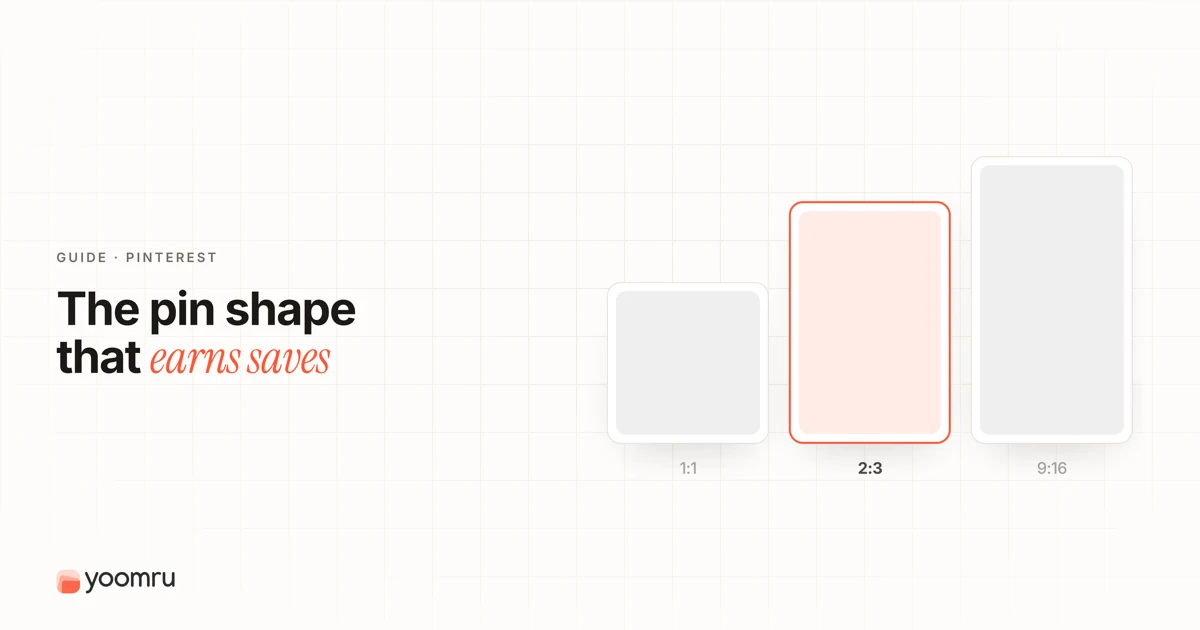
For most Shopify product promotions on Pinterest, use a vertical 2:3 image ratio. A practical working size is 1000 x 1500 pixels.
Use the product as the main visual. Keep text short. Leave enough space around the edges. Make sure the product, benefit, and destination page all match.
If you use the Pinterest sales channel or a product feed, your Product Pins may be generated from Shopify product data. In that case, your product image, title, description, price, and availability need to be clean before they sync.
What changes on Pinterest compared with other platforms
Pinterest is not exactly like Instagram, TikTok, or Facebook.
People often use Pinterest as a visual search and planning platform. They may search for ideas, save products, compare styles, and return later. That changes how your product creative should look.
| Platform habit | What it means for your Shopify product image |
|---|---|
| People browse visual search results | The image must explain the product quickly |
| Pins are often saved for later | The design should stay clear without extra context |
| Product discovery can happen by theme or style | Lifestyle cues and keywords help people understand fit |
| Pinterest feeds favor vertical space | A 2:3 vertical image usually works better than a wide banner |
| Product Pins can use catalog data | Shopify product details need to be accurate before syncing |
A good Pinterest product Pin should answer three questions fast:
- What is the product?
- Who is it for?
- Why should someone click or save it?
Recommended Pinterest Pin sizes for Shopify products
Use these sizes as a practical starting point.
| Use case | Recommended ratio | Practical size | Best for |
|---|---|---|---|
Standard product Pin |
2:3 |
1000 x 1500 px |
Most product promotions |
Simple catalog product image |
1:1 or 2:3 |
1000 x 1000 px or 1000 x 1500 px |
Product feed images and clean product shots |
Idea-style vertical content |
9:16 |
1080 x 1920 px |
Tutorials, styling ideas, before and after content |
Blog or guide Pin |
2:3 |
1000 x 1500 px |
Gift guides, collection posts, buying guides |
For daily product promotion, do not overcomplicate it. Start with 1000 x 1500 pixels and create a repeatable template.
A simple Pinterest product Pin layout
Here is a practical layout you can use for a Shopify product Pin.
1. Product first
Make the product the main object in the image. Do not hide it behind too much text, props, stickers, or background pattern.
Good examples:
- A candle shown on a bedside table
- A dress shown on a model or clean background
- A printable planner shown on a tablet and desk
- A wall art print shown in a framed room mockup
- A skincare product shown with texture or ingredient cues
Weak examples:
- A tiny product in a large collage
- A product photo with low contrast
- A crowded graphic with five different messages
- A screenshot of the whole Shopify product page
2. One clear text line
If you add text, keep it short. Use it to explain the product angle, not to repeat the full product title.
Examples:
- Minimalist wall art for neutral bedrooms
- Waterproof travel pouch for beach days
- Printable meal planner for busy weeks
- Handmade silver earrings for simple outfits
- New spring collection, soft cotton basics
Avoid adding too much promotional text. Pinterest users need clarity first.
3. Brand cue without covering the product
Add a small logo, store name, or brand color. Keep it subtle.
This helps people recognize your store if they see more than one Pin from you. It also makes your product content look less like a random saved image.
4. Safe spacing around the edges
Do not place important text or product details right at the edge. Pinterest crops and previews can vary by placement.
Keep the product and headline inside a safe center area. Leave a little breathing room at the top, bottom, and sides.
5. Match the Pin to the product page
The Pin should lead to a page that matches the image.
If the Pin shows a blue ceramic mug, send people to the blue mug product page, not a general collection with 80 products. If the Pin promotes a gift set, make sure the gift set is easy to find after the click.
Step-by-step workflow for Shopify stores
Use this workflow when preparing Pinterest product promotions.
Step 1: Choose one product angle
Do not start with the product alone. Start with the reason someone would save it.
Examples:
- Gift idea
- Room decor idea
- Outfit idea
- Problem solution
- Seasonal product
- Restock notice
- New collection item
- Review-backed product
A reusable water bottle can become:
- A back-to-school lunch bag idea
- A gym bag essential
- A gift for hikers
- A desk setup upgrade
Same product, different Pinterest angles.
Step 2: Prepare the Shopify product page
Before you design the Pin, check the product page.
Make sure it has:
- A clear product title
- Strong product images
- Accurate price and availability
- Useful description
- Variant details if relevant
- Shipping or delivery notes if needed
- A clean URL
If you sync products to Pinterest, the product data matters because Product Pins can be created from your Shopify feed.
Step 3: Create the 1000 x 1500 image
Use a 2:3 vertical canvas. Place the product image in the center or lower two-thirds of the design.
Use text only where it helps. Keep the font readable on mobile.
A simple structure:
- Top: short product angle
- Middle: product photo or lifestyle image
- Bottom: small brand cue or collection note
Step 4: Write a clear Pin title and description
Pinterest recommends using a clear title and description. For Shopify products, include natural product terms shoppers may search for.
Example Pin title:
- Handmade Ceramic Mug for Cozy Morning Coffee
Example Pin description:
- A handmade ceramic mug for slow mornings, desk setups, and simple kitchen styling. Available in soft blue with a comfortable handle.
Do not stuff keywords. Write like a real shopper would search.
Step 5: Link to the most relevant Shopify page
Use the most specific useful URL.
| Pin topic | Better URL |
|---|---|
| One product | Product page |
| Product variant | Variant-specific product URL if possible |
| Gift guide | Blog post or collection page |
| Seasonal collection | Collection page |
| Tutorial or styling idea | Blog post, guide, or product page with context |
Step 6: Create more than one Pin per product
One product can support several Pinterest images.
For example, a wall art print could have:
- A bedroom mockup Pin
- A home office mockup Pin
- A gift idea Pin
- A neutral decor Pin
- A close-up detail Pin
This is not about spamming the same image. It is about showing different real use cases.
Product post examples
Here are simple examples you can adapt.
Fashion product
Product: Linen summer dress
Pin text: Easy summer outfit for warm weekends
Image: Model or flat lay on a clean vertical canvas
Destination: Dress product page
Description angle: Fabric, fit, occasion, color
Home decor product
Product: Framed abstract wall print
Pin text: Neutral wall art for a calm bedroom
Image: Room mockup with the print above a bed
Destination: Product page or wall art collection
Description angle: Room style, size options, color palette
Digital product
Product: Printable weekly planner
Pin text: Simple weekly planner for busy workdays
Image: Planner shown on a desk or tablet
Destination: Digital product page
Description angle: Format, use case, instant download details
Beauty product
Product: Hydrating lip balm
Pin text: Small skincare gift for dry lips
Image: Product close-up with texture or packaging
Destination: Product page
Description angle: Main benefit, scent, gift use case
Mistakes to avoid
Using only square images
Square product images can work in some placements, but they often use less vertical space in the Pinterest feed. For designed product promotions, test vertical 2:3 images.
Making the Pin too tall
Very tall Pins may be cut off in feeds. Stick with 2:3 for standard product promotions unless you are creating a specific video or idea-style format.
Adding too much text
Pinterest is visual. A Pin should not look like a flyer packed with copy. Use one short headline and let the product image do the work.
Sending clicks to a confusing page
If the Pin promises one item, do not send users to a broad homepage. Match the click to the product, collection, or guide they expected.
Ignoring Shopify product data
If your product feed has weak titles, missing images, outdated prices, or unclear availability, your Pinterest workflow becomes weaker too. Fix the product data at the source.
Repeating the same Pin too often
Create useful variations. Change the angle, image, season, use case, or collection context. Do not repost the same graphic again and again.
Simple checklist
Before posting a Shopify product Pin, check this list:
- The image uses a 2:3 ratio, such as 1000 x 1500 px
- The product is easy to see on mobile
- The text is short and readable
- The product page matches the Pin
- The title uses natural product terms
- The description explains the use case
- The price and availability are correct on Shopify
- The image is not too tall or too crowded
- The design includes a small brand cue
- You have at least two or three useful angles for the product
Where Yoomru fits
Yoomru is being prepared as a Shopify social media automation app and is currently under Shopify review. For Pinterest workflows, the useful habit is the same whether you post manually or use automation later: prepare strong product images, clear captions, and relevant product links before scheduling anything.
Automation should support a clean product promotion workflow. It should not turn weak product images into repeated low-quality posts.
FAQ
What is the best Pinterest Pin size for Shopify products?
For most Shopify product promotions, use a 2:3 vertical image. A practical size is 1000 x 1500 pixels.
Can I use square Shopify product photos on Pinterest?
Yes, but square images may take less space in the Pinterest feed. If you are designing a promotional Pin, create a vertical version when possible.
Should every Shopify product have a Pinterest Pin?
Not always. Start with products that are visual, searchable, seasonal, giftable, or easy to explain with one image.
Should I link Pinterest Pins to a product page or collection page?
Use the most relevant page. Link one-product Pins to product pages. Link collection, gift guide, or seasonal Pins to the matching collection or guide.
Do Product Pins use Shopify product data?
When you connect Shopify and Pinterest through the official channel, product feed data can be used to generate Product Pins. Keep your product title, image, price, availability, and description accurate.
How many Pinterest Pins should I create for one product?
Start with two or three useful variations. Use different angles, such as gift idea, lifestyle use, close-up detail, or seasonal collection context.